
RedWorld Cinematic Environment FX
Build dark Cinematic worlds in HoudiniFX and Nuke using the same procedural techniques applied in real productions, from portals and storms to atmosphere, turning ideas into portfolio-ready shots.
24 Hours
Duration
Beginner Intermediate
Level
Format
Pre-Recorded Lesson
Software
Houdini, Nuke
Render
Karma Solaris
RedWorld Cinematic FX
Build a cinematic environment from the ground up using a complete production-ready Houdini workflow.
You’ll learn procedural scene creation, smoke and atmospheric FX, lighting, rendering in Solaris, and final compositing in Nuke while understanding the artistic decisions behind every step.
By the end of the course, you’ll have the knowledge and confidence to create your own professional-quality cinematic FX shots.
WORKSHOP OVERVIEW
Production Workflow
Learn the complete cinematic FX pipeline, from scene setup to final compositing using professional production techniques.
Skill Level
Designed for intermediate Houdini artists who want to build production-ready cinematic environments and FX.
Project Files
Access the complete Houdini project, HDAs, textures, render settings, and additional resources used throughout the course.
Build the Environment
Create the RedWorld Environment
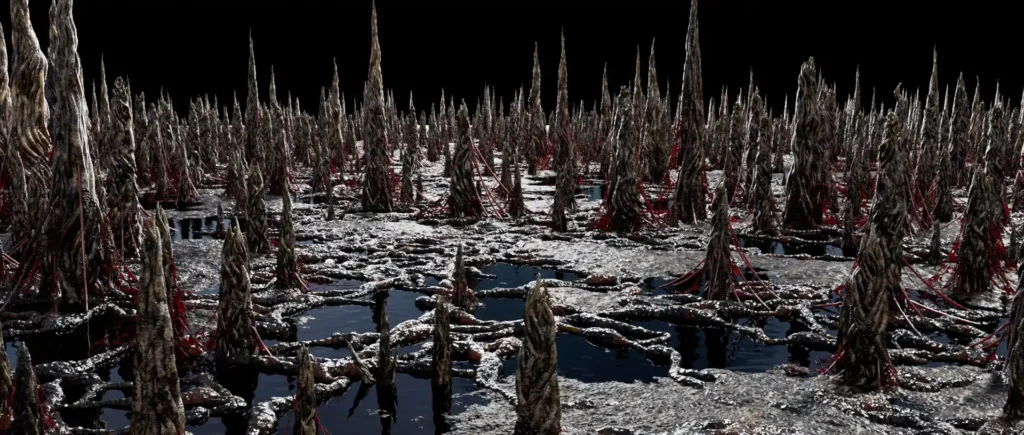
Build the entire RedWorld environment from scratch using procedural workflows. Learn scene layout, terrain creation, atmospheric composition, and cinematic set dressing.
Softwares used


Houdini
Nuke
Course Structure
This course follows a structured, production-oriented workflow.
Each module builds upon the previous one, guiding you step by step through every stage of creating
a cinematic FX shot—from the initial scene setup to the final compositing in Nuke.
Module 1
Presentation and Configuration
Learn how to set up the project, organize your workspace, and prepare a production-ready workflow before creating the effects.
Module 2
Cinematic Layout
Build the scene layout, cameras, and environment composition to establish the cinematic foundation of the project.
Module 3
Ground FX
Create procedural ground effects, surface details, and environmental elements that bring the scene to life.
Module 4
Fog FX
Generate realistic volumetric fog and atmospheric effects to enhance depth, mood, and cinematic quality.
Module 5
Cloud FX
Learn how to build procedural clouds and large-scale volumetric formations using a production-oriented workflow.
Module 6
Portal FX
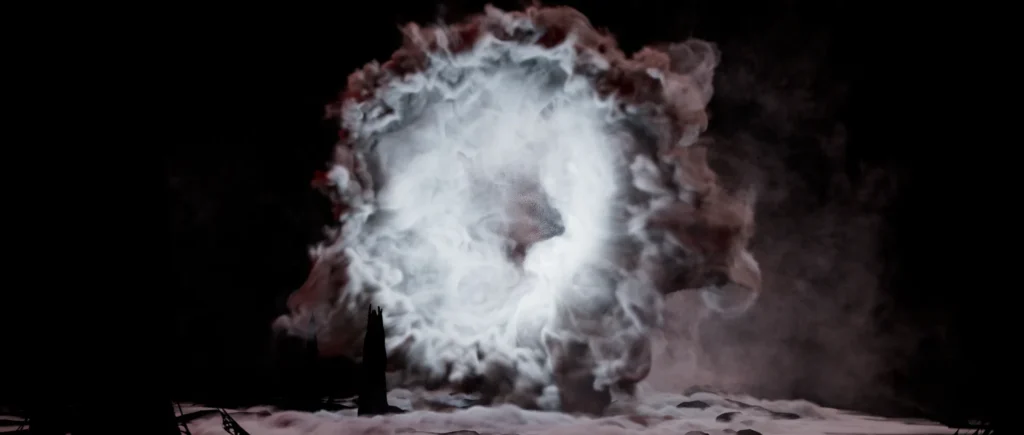
Create the iconic dimensional portal, including smoke, shading, and animation from scratch.
Module 7
Lightning Strike FX
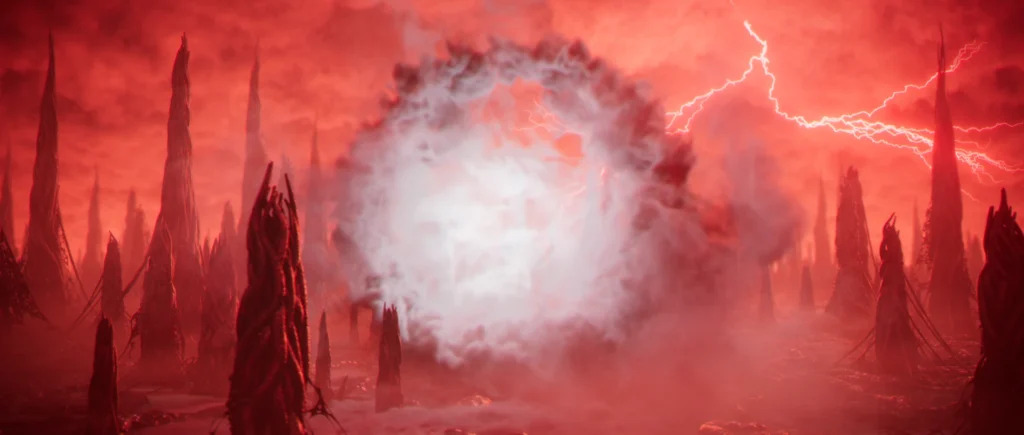
Design powerful procedural lightning effects with custom controls, animation, and realistic visual impact.
Module 8
Totem FX
Build the mysterious floating totems, including procedural modeling, and scene integration.
Module 9
Rendering in Solaris
Set up materials, lighting, render settings, and optimize the entire scene using Houdini Solaris and Karma.
Module 10
Compositing in Nuke
Finish the project with professional compositing techniques, color correction, atmospheric passes, and final polish.
Course Overview
What you will learn
Procedural Environment
Build a cinematic RedWorld environment from the ground up.
Portal FX
Create a controllable smoke portal using velocity fields, volumes, and custom shaders.
Volumetric Atmosphere
Combine fog, clouds, lightning, and environmental effects for cinematic depth.
Final Rendering
Light, render, and composite the final shot using Solaris, Karma, and Nuke.
RedWorld Cinematic Environment FX
Ready to master the complete workflow behind the Cinematic Environment FX?
- 24 hours of lessons
- Downloads - Hip Files, HDAs, Textures
- Lifetime Access
Frequently Asked Questions (FAQ)
Our introductory courses are designed for beginners and assume no prior experience with Houdini. Advanced courses, on the other hand, start with the fundamentals before progressing into professional production techniques and real-world workflows.
Our courses are highly practical and centered around real production workflows. Theory is introduced only when necessary to explain the concepts behind the techniques, allowing you to learn by building real-world VFX projects.
Most courses require Houdini FX (the current or previous major version). Depending on the course, you may also need software such as Nuke, Blender, or Unreal Engine. The required software and recommended versions are always listed on each course page.
Yes. All courses include English and Portuguese subtitles. When applicable, you’ll also receive project files, assets, and additional supporting materials to help you follow along with the lessons.
Yes. Whenever required, downloadable project files are included with the course. All files are provided through secure downloads, allowing you to follow the lessons and practice using the same assets demonstrated throughout the course.
Yes. You are welcome to use the projects you create for learning purposes and to showcase your skills in your professional portfolio. However, the course content, project files, and assets may not be redistributed or resold as standalone products.
You will have lifetime access to the course. Learn at your own pace and revisit the lessons anytime, as many times as you need.
Yes. As soon as your payment is confirmed, you’ll receive immediate access to the course, allowing you to start learning right away.
Yes. You can access your courses from multiple devices using the same account, making it easy to learn wherever you are.
You can reach us through our support email and our exclusive student community, where you can ask questions, share your progress, and receive assistance throughout your learning journey.
All courses are available through a one-time payment. Once purchased, you’ll have lifetime access to the course with no recurring subscription or monthly fees.
